> For the complete documentation index, see [llms.txt](https://wiki.inels.com/llms.txt). Markdown versions of documentation pages are available by appending `.md` to page URLs; this page is available as [Markdown](https://wiki.inels.com/inels-cloud/new-features-and-improvements-app-and-cloud.md).
# New Features & Improvements: App and Cloud
## Communication & Device Support
### Support for Communication RF Gateways
#### Description
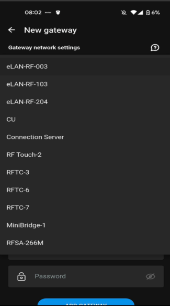
The application now supports additional RF communication gateways, including:
* **eLAN-RF-204**
* RFTC-3
* RFTC-6
* RFTC-7
* MiniBridge-1
* RFSA-266
#### Why this matters
* Wider device compatibility
* Easier system expansion
* Reduced limitations during retrofit projects
***
## Application Improvements
### Wi-Fi Setup Wizard
#### Description
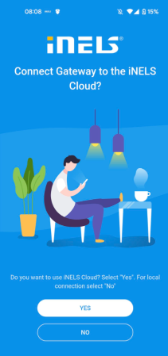
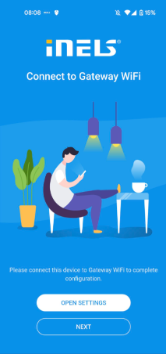
A guided Wi-Fi configuration wizard has been introduced to simplify the onboarding of devices and gateways.
#### Why this matters
* Faster installation
* Reduced configuration errors
* No advanced networking knowledge required
***
## Automations
### Local Logic Execution
#### Description
Automation logic is now executed locally on the gateway even without cloud connection.
#### Why this matters
* Faster response time
* Higher reliability
* Reduced latency
***
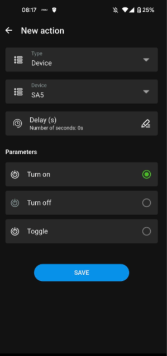
### Input & Output-Based Conditions
#### Description
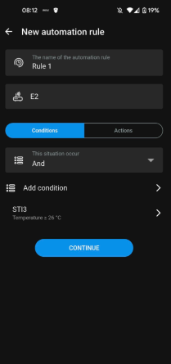
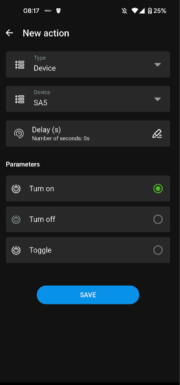
Automations can now react directly to input and output device states: Devices can now be used both as triggers and as actions.
#### Why this matters
* More precise control
* Better reaction to real-world conditions
***
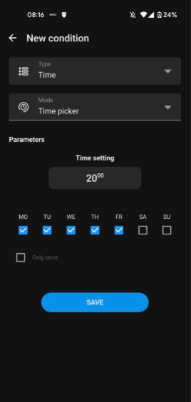
### Time-Based Automation Rules
#### Description
Time schedules can be used as automation triggers or conditions: Users can configure routines based on time, sunrise/sunset, weekdays, schedules, etc.
#### Why this matters
* Predictable automation behavior
* Ideal for daily routines and energy saving
***
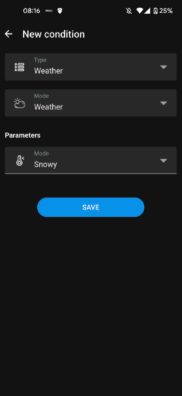
### Weather-Based Automation Conditions
#### Description
Weather data can be used as a condition for automation logic: Automations can react to outdoor temperature, wind, rain, cloudiness etc. (via cloud data).
#### Why this matters
* Context-aware automation
* Energy optimization scenarios
***
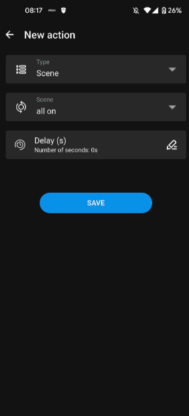
### Improved Scene Visualization
#### Description
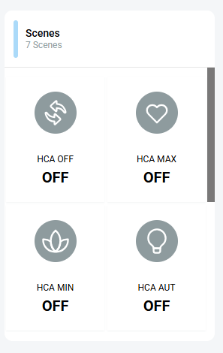
Users can trigger whole-home actions with a single command (e.g., “Leaving home”, “Movie mode”)
#### Why this matters
* Easier scene selection
* Better clarity of active scenarios
***
### Virtual Bits
#### Description
Allow creation of advanced logic states; can be reused in multiple automations.
#### Why this matters
* Useful for complex scenarios.
***
### HTTP commands for 3rd parties
#### Description
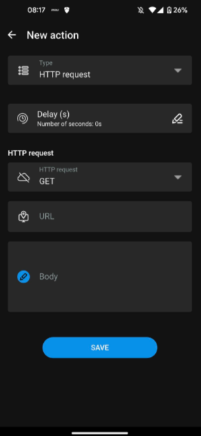
Enables integration of other smart-home devices and systems outside iNELS.
#### Why this matters
* Advanced scenarios
* Cleaner automation design
***
## Cloud
### Scene Visualization Improvements
#### Description
Scenes are now visible directly inside room detail, making them easier to access and manage.
#### Why this matters
* Easier scene selection
* Better clarity of active scenarios
***
### Virtual bit features (display + conditioning)
#### Description
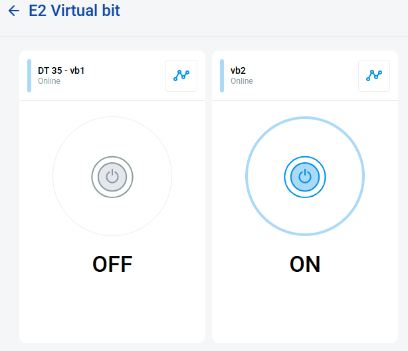
Users can see virtual bits online and use them in cloud-based conditions
#### Why this matters
* Improves transparency of advanced logic.
***
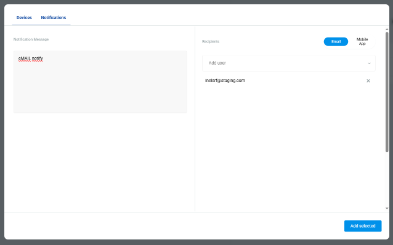
### Email Notification Improvements
#### Description
Users receive alerts about events (automation triggers).
#### Why this matters
* Better system monitoring
* Faster response to events
***
### Bug fixes & optimizations
This release includes multiple bug fixes and internal optimizations.
#### Summary
More stable app, fewer crashes.
#### Detailed internal fix log
The following list reflects internal development and maintenance fixes recorded during recent releases:
* 274 profile backbutton, elan sync delete, emulator, dropdown icon
* 272 emulator fix, gw duplicate fix
* 270 event manager elan
* release 269 hca cloud
* 267 elan sync from cloud
* 266 hca tablet
* 265 hca cloud fix
* 264 shutters na X pokus
* 263 rfouch fix devices
* 262 rfja sync, elan103 sceny/plany
* 261 rfja12 fix, rfsa266 mgw, cloud sync fix, sync duplicate fix
* 260 rfja12 change
* 259 rfja12 fix, time schedules fix, delete all confirm dialog
* 258 Virtual bit
* 257 ulozenie VirtualBit, uprava laststate pro CU\_Light
* 254 nove dev types
* 249 virtual bit, sip full screen, novy gw type rftc6, rftc7, gw guide, synchronize cu, obrazovka rfim3, uprava verze fw, prepimani zaluzie sceny, rfmd prepis nazvu prvku, neposilani fw pri aktualizaci u elan204, rftc a mb
* 247 problikavani, app settings, sip fixes, shutters settime fix
* 246 linphone p2p calls fixes, shutters fixes, contact edit
* 245 linphone p2p calls, shutters tilt, save rfsa error dialog, set time for shutters in last state